

截图
简介
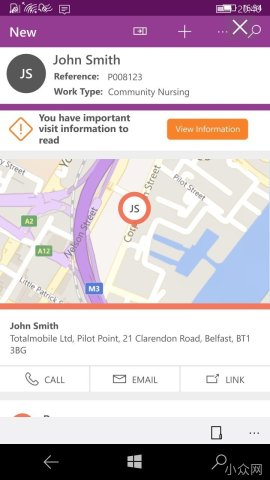
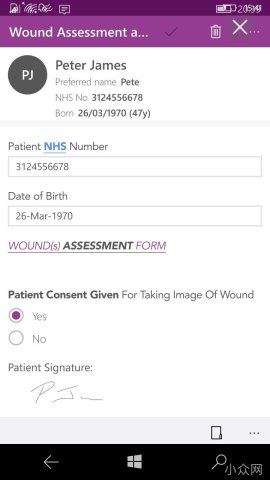
Totalmobile is all the app your mobile workforce will ever need.
It couldn’t be easier to use; which means minimal training and rapid adoption by your workforce. With the power of Totalmobile, you can keep your team mobilised and focused on the work that matters by giving them everything they need in a single app. They get easy access to their schedule of work, job details and full supporting documentation; and can update their progress in real time. With just a few taps they can complete forms, take photos, capture signatures and much more. Right at the point of service delivery.
安装说明(Windows 10 Mobile)
Windows 手机不能像安卓那样直接点开安装包。首次安装通常需要:打开开发人员模式 →(若提示证书不受信任)信任签名证书 → 安装应用。
- 打开开发人员模式:设置 → 更新和安全 → 开发人员选项(部分机型叫「面向开发人员」),选择「开发人员模式」;没有该选项时选「旁加载应用」。按提示确认后返回。
- 信任签名证书(安装时提示证书不受信任才需要):证书文件由安装包的发布者提供,拿到后点开安装即可。在「文件资源管理器」里点开 .cer 文件 → 选择「安装证书」并确认;若提示选择存储位置,选「受信任的根证书颁发机构」。
- 安装应用:在「文件资源管理器」→「下载」里点开下载好的 appx,确认安装,等待十几秒即可在应用列表找到它。
常见报错
- 「证书不受信任 / 0x800B0109」:第 2 步没做,或证书没装进「受信任的根证书颁发机构」。
- 「缺少依赖 / 0x80073CF3」:设备缺少 Microsoft.VCLibs.140.00 或 .NET Native 1.7 运行库(需 ARM 版)。
- 系统要求:Windows 10 Mobile 10.0.14393 及以上、ARM 机型;WP8.1 的 appx 安装方式相同。
登录后即可评论
暂无评论,来抢沙发~